

Redesigning the Online Catering Ordering Experience
I redesigned Pret Catering UAE’s online ordering experience to help users find products suited to
their events more quickly, order the right quantities, and complete the delivery process with greater confidence.
01 — Project Goal
Turning a product-led shop into a catering experience
Pret Catering UAE is a catering platform that lets users order food and beverages online for meetings, office breakfasts, and group events. Although the existing experience offered a broad product range, the ordering journey was structured mainly around product categories.
Catering customers, however, manage far more than product selection: guest counts, delivery timing, dietary preferences, and portion quantities. The goal of this project was to transform a product led shopping experience into a catering experience guided by users’ event needs.
02 — The Problem
Questions users struggled to answer
In the existing experience, users could find it difficult to answer questions such as:
How many people will my order serve?
Which products should I choose for my event?
Are there enough vegan or vegetarian options?
Can my order be delivered on my preferred date and time?
How should I calculate portions across different products?
Where can I find allergen information?
This structure could cause users to spend a long time browsing products, calculate quantities manually, and discover important delivery information too late in the process.

DESIGN QUESTION
03 — Research & Evaluation
Core decisions that influence order confidence
The catering journey is shaped by a few critical user decisions: where to begin, how many people to serve, and how the order will be fulfilled. Improving clarity around these moments can reduce uncertainty and make the ordering flow easier to complete.
Key Insights
01
Catering users may not know exactly which product they want at the beginning of the journey. They first need to understand which section fits their order.

03
In catering orders, choosing between delivery and pickup affects the required details, time slots, fees, and order confidence.
04
04 — Target User
Meet Roula, the Office Manager

Roula
Office Manager · Dubai
Roula regularly orders catering for team meetings and office gatherings, making sure everyone has fresh, reliable meal options during busy workdays.
Her Goals
Complete the order quickly
Select the right amount of food
Accommodate different dietary needs
Feel confident about the delivery time
Keep the total cost under control
Core Need
“I want a quick and simple ordering experience that clearly shows how many people my order will serve, so I can be confident I am choosing the right amount of food.”
05 — Experience Strategy
Four principles behind the design
01
1
Start with the proper category
Instead of presenting product categories alone, first understand the context of the order.
02
2
Surface critical information early
Don’t leave allergen info, guest count, pricing, and dietary information until the end of the journey.
03
3
Reduce the calculation burden
Help users calculate portions and product quantities instead of leaving the math to them.
04
4
Make confidence visible
Keep the order summary, delivery information, allergens, and total price clear end of the journey.
06 — New User Flow
The reorganized ordering journey
1
Choose the category based on products
2
Check dietary preferences
3
Consider allergen sensibility
4
Decide the number of serving
5
Review recommended products
6
Check product details
7
Add products to the cart
8
Select delivery or pickup from store options
9
Review the portion and price summary
10
Complete delivery/pickup details and payment details
11
View the order confirmation
12
Track your order with my order page
07 — Key Design Solutions
From insight to interface
Click on any image to view it in full-screen mode for a more immersive and cohesive experience.

Solution 01
Category Based Product Discovery
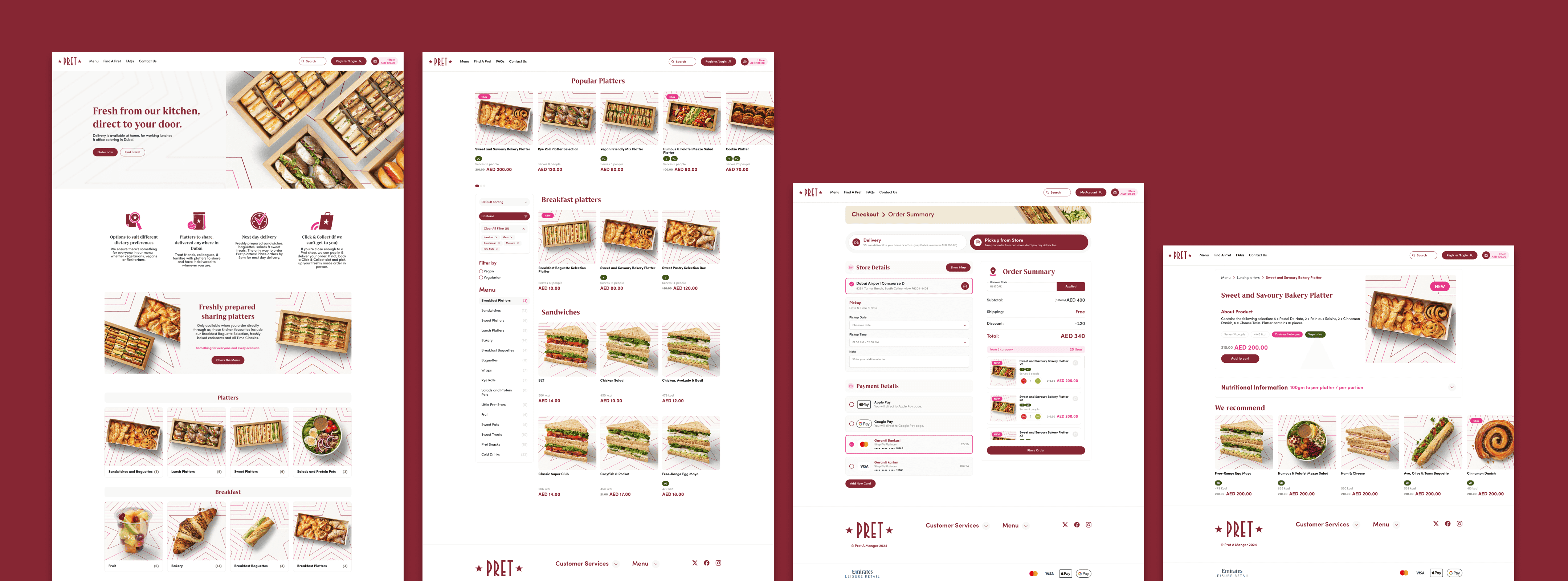
I grouped the homepage into clear catering sections. This helps users quickly understand the menu structure and choose the most relevant category before browsing individual products.
Solution 02
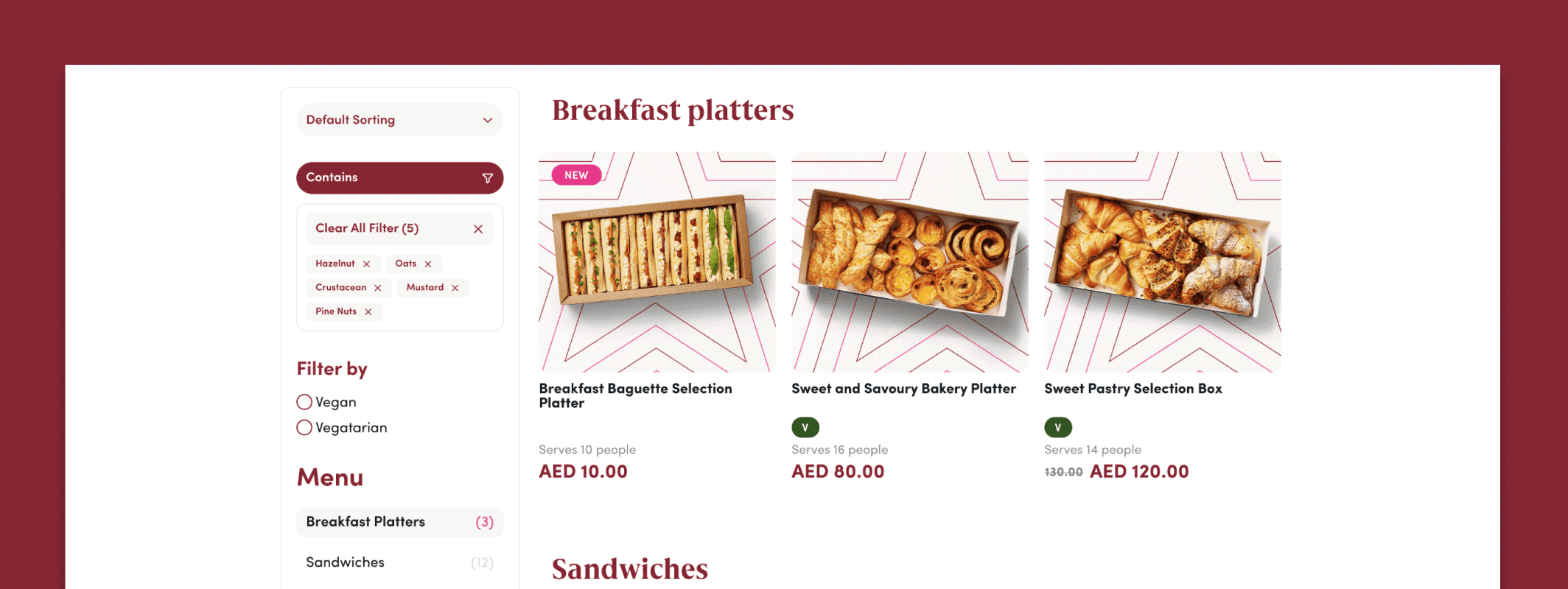
Serve Quantity on Guest Count
Once users enter their product category, quantities are displayed on product cards, and an estimated total portion count is shown in the cart.
Solution 03
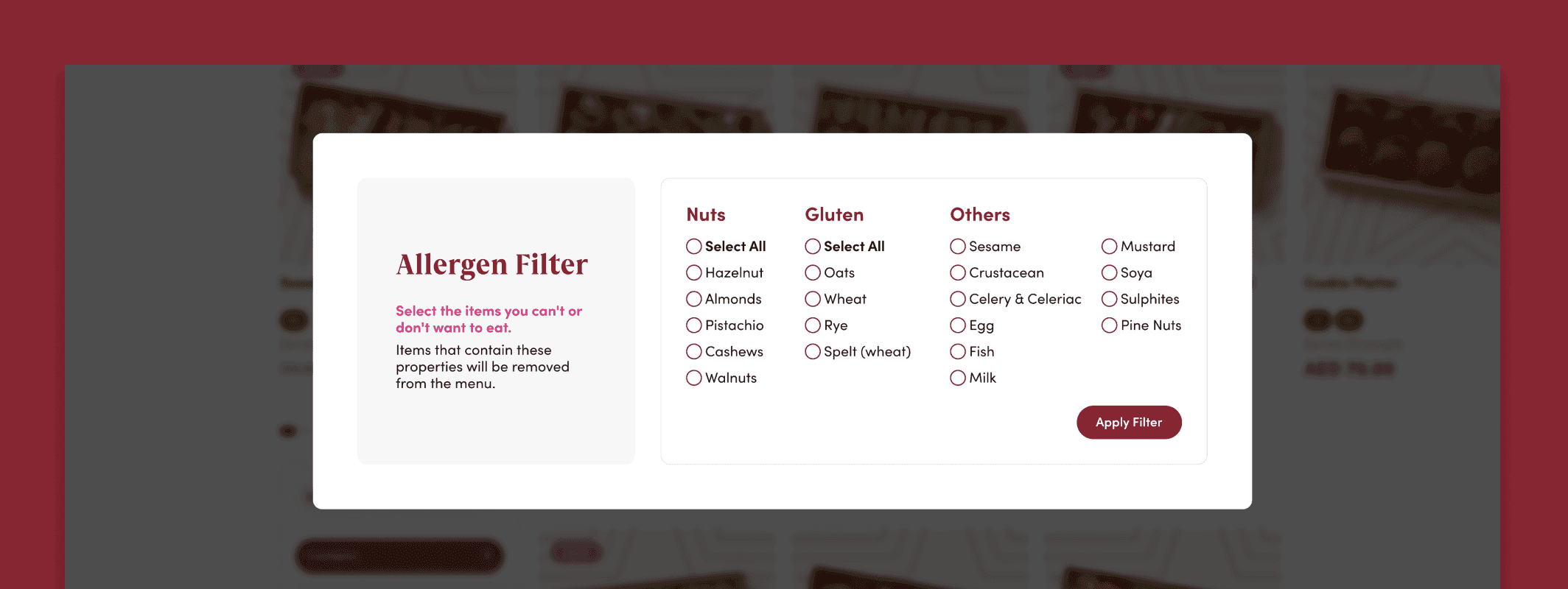
Improved Filtering Around Catering Decisions
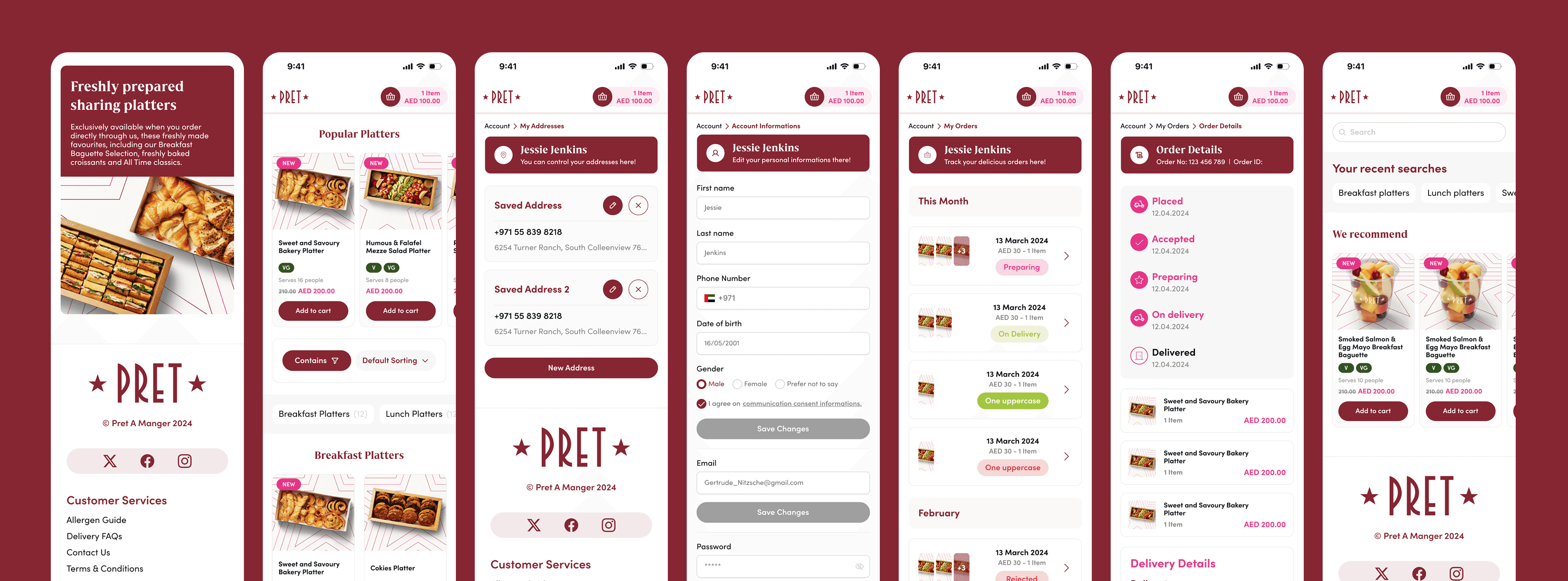
Product filters were reorganized around the decisions catering customers actually make. On mobile devices, filters are presented in a horizontal position for quick access.

Solution 04
Product Cards Built for Faster Decisions
Essential information was made visible on product cards to reduce the need to open the detail page for every item.
Product Name and Image
Price
Number of Servings
Allergen badge
Hover Add action
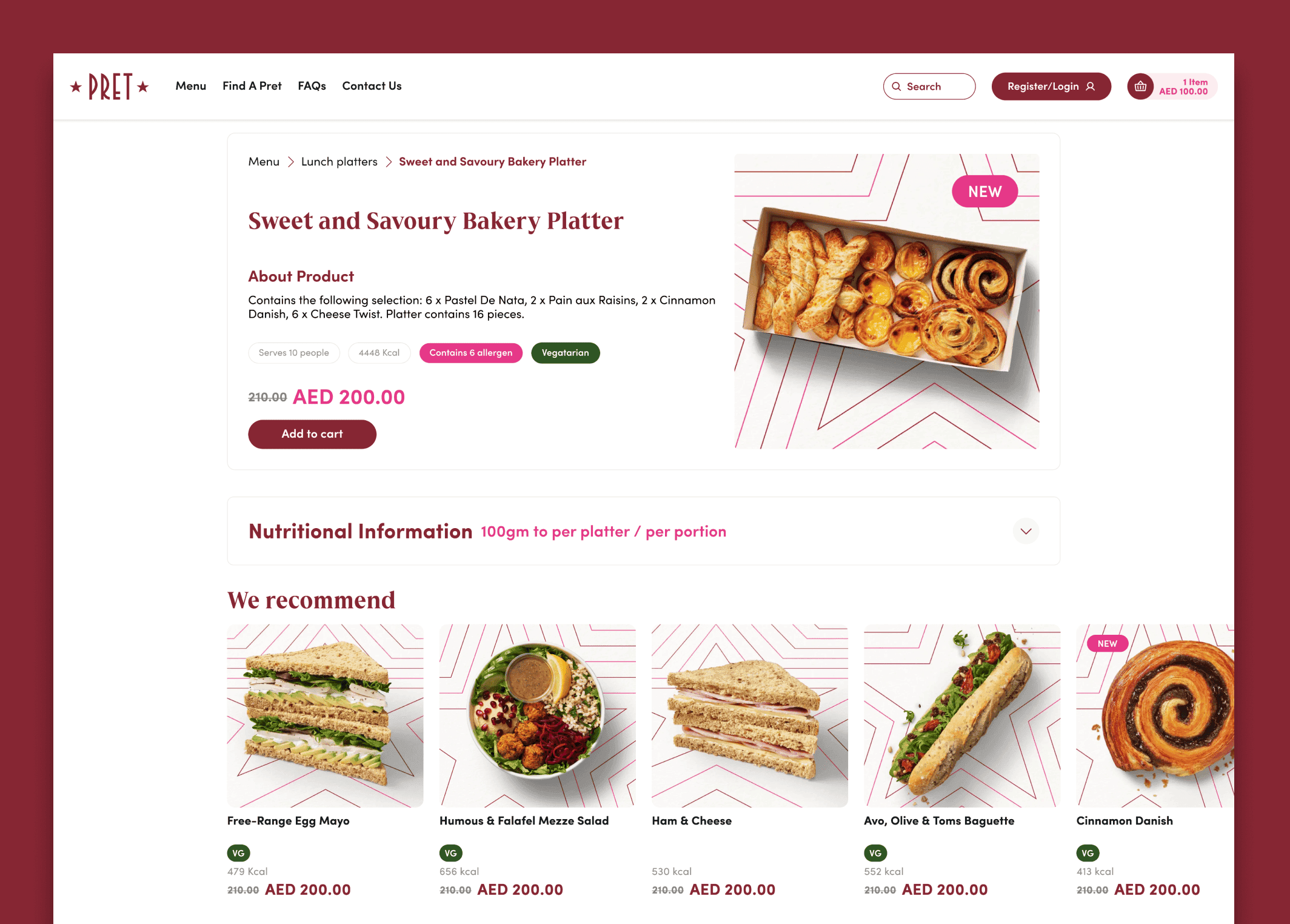
Solution 05
Product Detail Reorganized by Importance
Details were reorganized so the most decision critical information sits at the top, with supporting detail below.
Top section
Product Name
Product Details
Number of Servings
Dietary Information
Price
Add to Cart Action
Lower section
Nutrition Informations
Recommend Products

Solution 06
A Cart Designed for Catering
The cart was designed not just to display products and prices, but as an order-planning tool. When an order appears insufficient, the user receives a helpful warning.
Product Name,
Number of Serving
Vegan and Vegetarian Badges
Total Price

Solution 07
Simplified, One Page Checkout
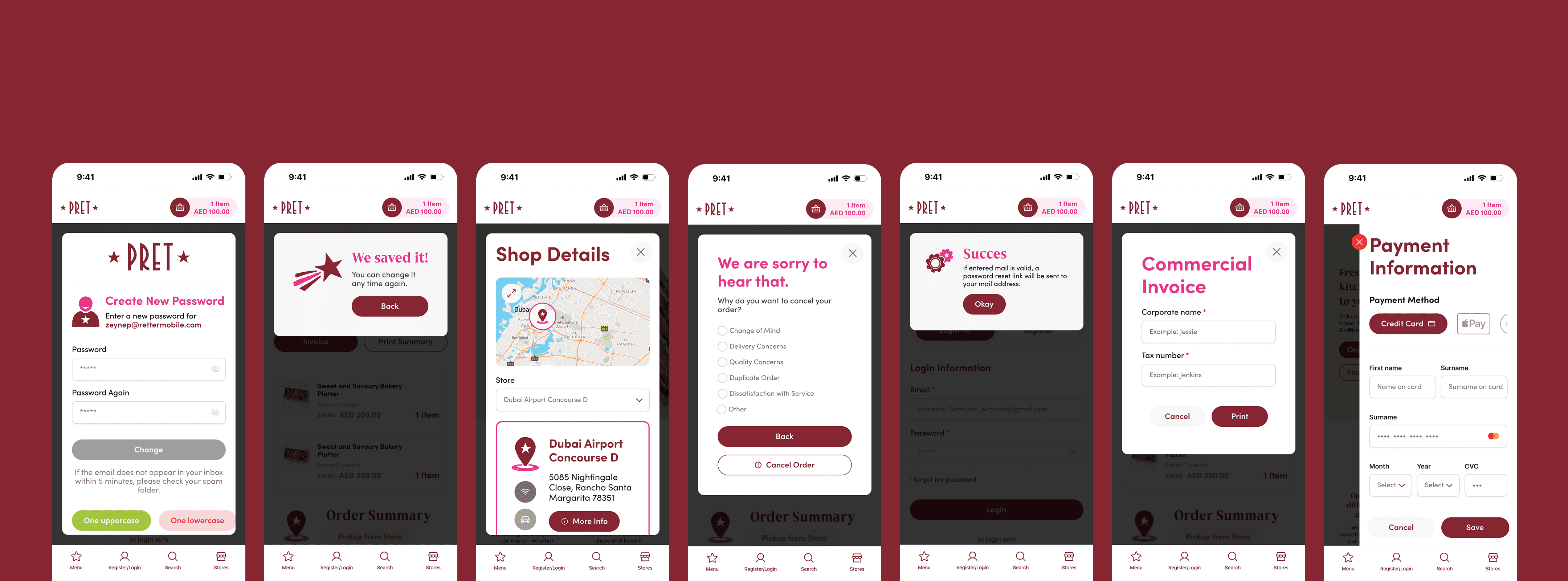
I simplified the checkout into a single-page experience after users choose either Delivery or Pickup from Store at the beginning of the flow.
Based on their selection, users can review how they will receive the order, confirm the required details, and choose a payment method on the same page.
This reduces unnecessary steps and helps users complete their order more quickly and easily.
1 · Delivery/Pickup Selecting
2 · Delivery/Pickup Details
3 · Payment
4 · Review

Solution 08
Simplified, One Page Checkout
Instead of only showing a success message, the confirmation screen addresses what the user needs next.
Order ID
Ordered Products
Number of Serving
Delivery Address
Delivery Date and Time
Phone Number
Additional Note
Subtotal, Shipping, Discount and Total Price
08 — Visual Design
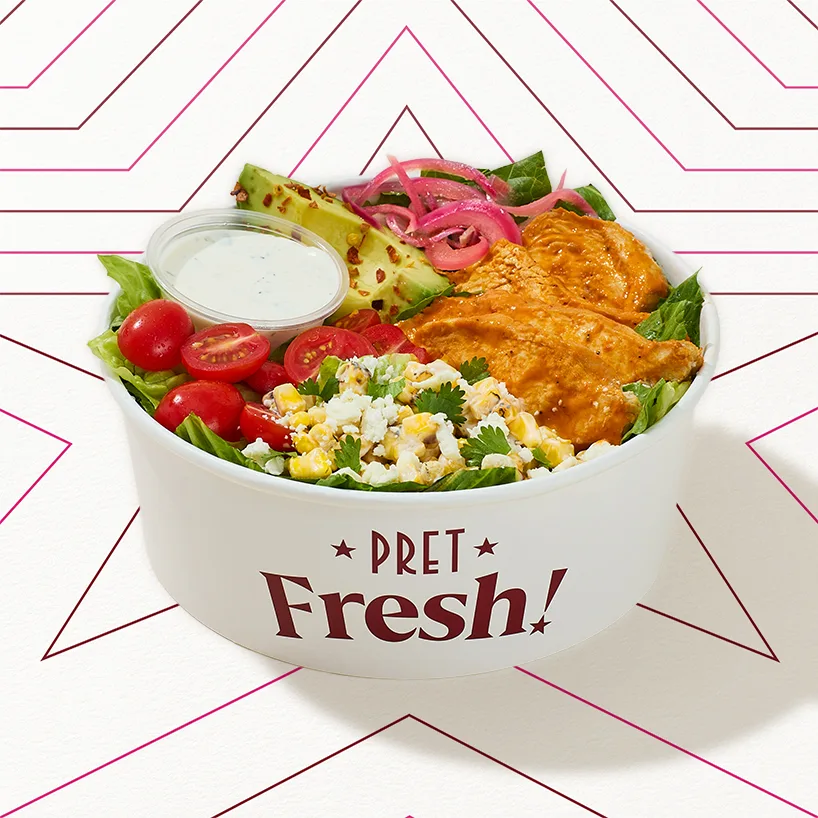
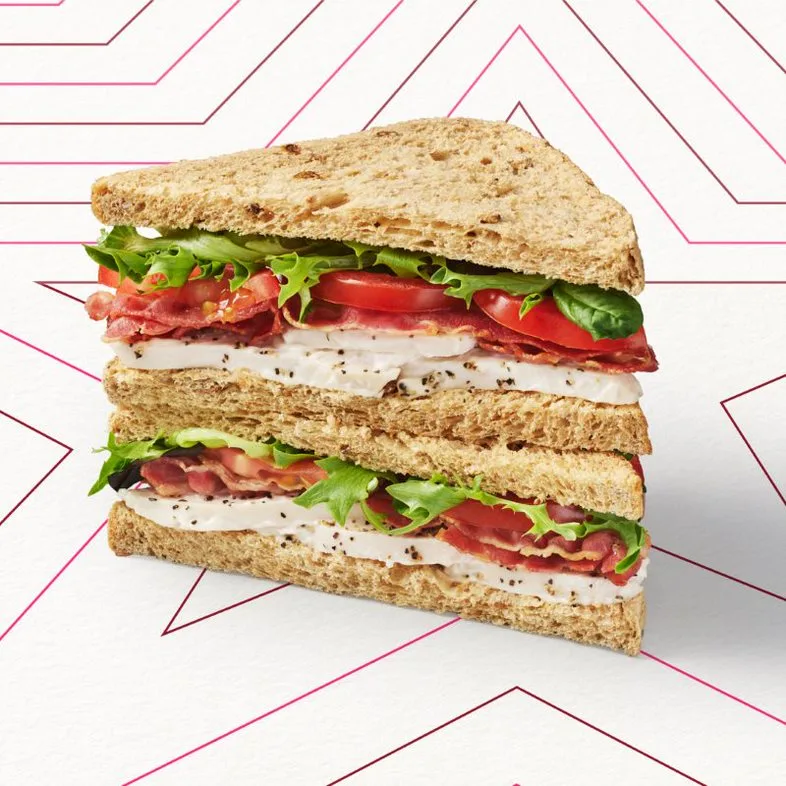
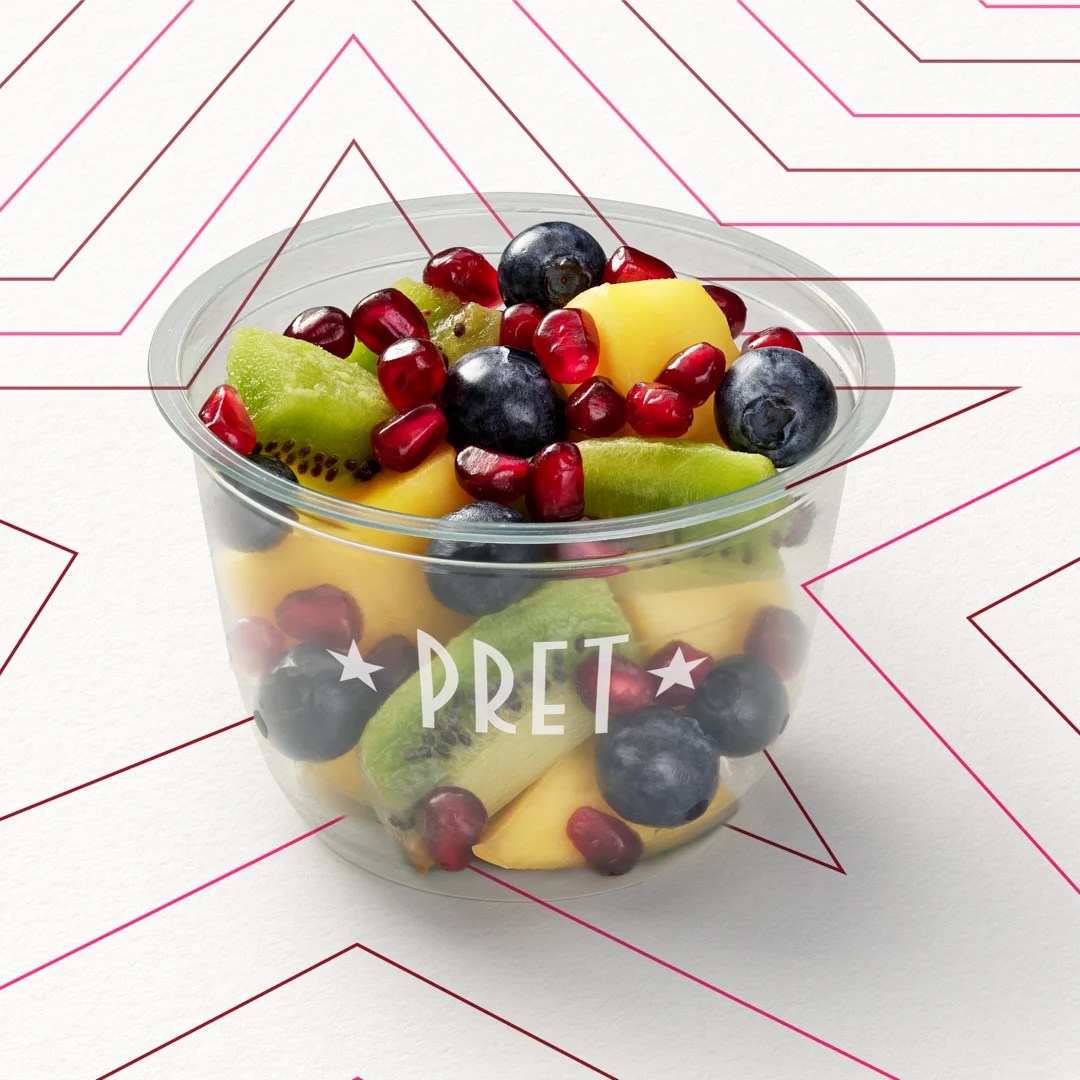
Keeping Pret’s warmth, clarifying the commerce
I aimed to preserve Pret’s warm, friendly, and energetic brand character while creating a cleaner e-commerce experience.



09 — Responsive Design
Adapted for desktop, and mobile
The experience was adapted across screen sizes, reshaping layout and navigation to fit each context.
Desktop
Multi column product grid
Filter panel on the left
Persistent cart summary
Consistent 4-point spacing system for padding, margins, and containers
Mobile
Single flow layout with two products per row
Side by side quick access filters
Easy to access view cart action
Touch friendly quantity selectors



10 — Accessibility
Considered throughout the process
Accessibility considerations were built into the design decisions from the start.
Sufficient color contrast
Visible focus states
Persistent form labels
Clear error messages
Minimum touch target sizes
Dietary information via icons and text
Alternative text for product images
Keyboard accessible navigation
11 — What I Learned
A catering journey is more than ordering food

Users are not simply choosing products they are managing guest counts, delivery timing, budget, and a range of dietary needs. A strong catering experience should support users throughout the planning process, not just display products.
I also learned that solutions developed without real user research should be treated as design hypotheses. The next step would be to validate these decisions with real users.
12 — Expected Impact
Anticipated outcomes and metrics to watch
Because the project was not tested with real users, there are no measurable outcomes. The design is expected to have a positive impact in several areas.
Faster product discovery
Easier portion planning
Lower cognitive load
A clearer delivery process
A more streamlined checkout
Greater user confidence
Faster repeat ordering
13 — Next Steps
Where I would take this next
14 — Conclusion
From a menu, to a plan
In the Pret Catering UAE redesign, I focused on transforming a product led menu experience into an ordering journey guided by users’ real catering needs.
The resulting solution brings key information clear product sections, serving count, dietary preferences, allergen details, and delivery/pickup options into the centre of the journey, helping users place orders more quickly and with greater confidence.


